> For the complete documentation index, see [llms.txt](https://docs.leadbay.app/doc/llms.txt). Markdown versions of documentation pages are available by appending `.md` to page URLs; this page is available as [Markdown](https://docs.leadbay.app/doc/news/changelog.md).
# Changelog
Leadbay ships updates every week. Below are the major milestones.
***
## May 2026
* **Pinned contacts on the lead profile**: pin the contacts that matter for your outreach to the top of the profile. The recommended contact slot still shows automatically when nothing is pinned; pin one and it takes its place. Several contacts can be pinned at once. Pins are org-level, so your team sees the same prioritization.
* **Notion-style filters in Monitor**: a focused filter popover at the top-right of Monitor. Add as many filters as you need with \[field] \[operator] \[value] rows, joined with AND. Field picker is grouped into standard fields (Location, Sector, Size, Last action, Last action date) and CRM custom fields. Custom-field text values auto-complete from your data.
* **Organization-wide Monitor view**: a new **Include leads from organization** toggle at the top of the Monitor filter popover surfaces leads your teammates interacted with — alongside your own — for a complete pipeline view. Pair it with **Only liked leads** to keep things focused.
* **Manager role**: when inviting a member, you can now mark them as a **Manager** so they get visibility into their team's activity in the Manager Dashboard. The members table has a new **Manager** column to show who covers whom. The seats counter on the Organization page also reports how many are managers.
* **Logout — this device or all devices**: clicking **Logout** now opens a dialog asking whether you want to sign out of just this session or every device and agent/API token session at once.
* **Salesforce integration**: a new Salesforce option appears in the integrations picker alongside Zapier and SFTP — connect your CRM data directly.
* **Refined final-score display**: the score breakdown on lead profiles has been tightened — easier to read at a glance.
* **Leadbay MCP server**: a brand-new **Model Context Protocol** server lets Claude (Desktop, Code, Cowork) pull leads, qualify them, enrich contacts, and log outreach on your behalf — using your Leadbay account. See [Leadbay MCP](/doc/leadbay-mcp/quickstart.md) for the install walkthrough.
* **OAuth sign-in for Leadbay MCP**: the MCP extension now authenticates with a one-tap **Sign in with Leadbay** flow on install — no more terminal, no more bearer tokens to mint, copy, paste, or rotate. Existing installs keep working; new ones are a single approval click. See [Leadbay MCP](/doc/leadbay-mcp/quickstart.md) for the refreshed steps.
## April 2026
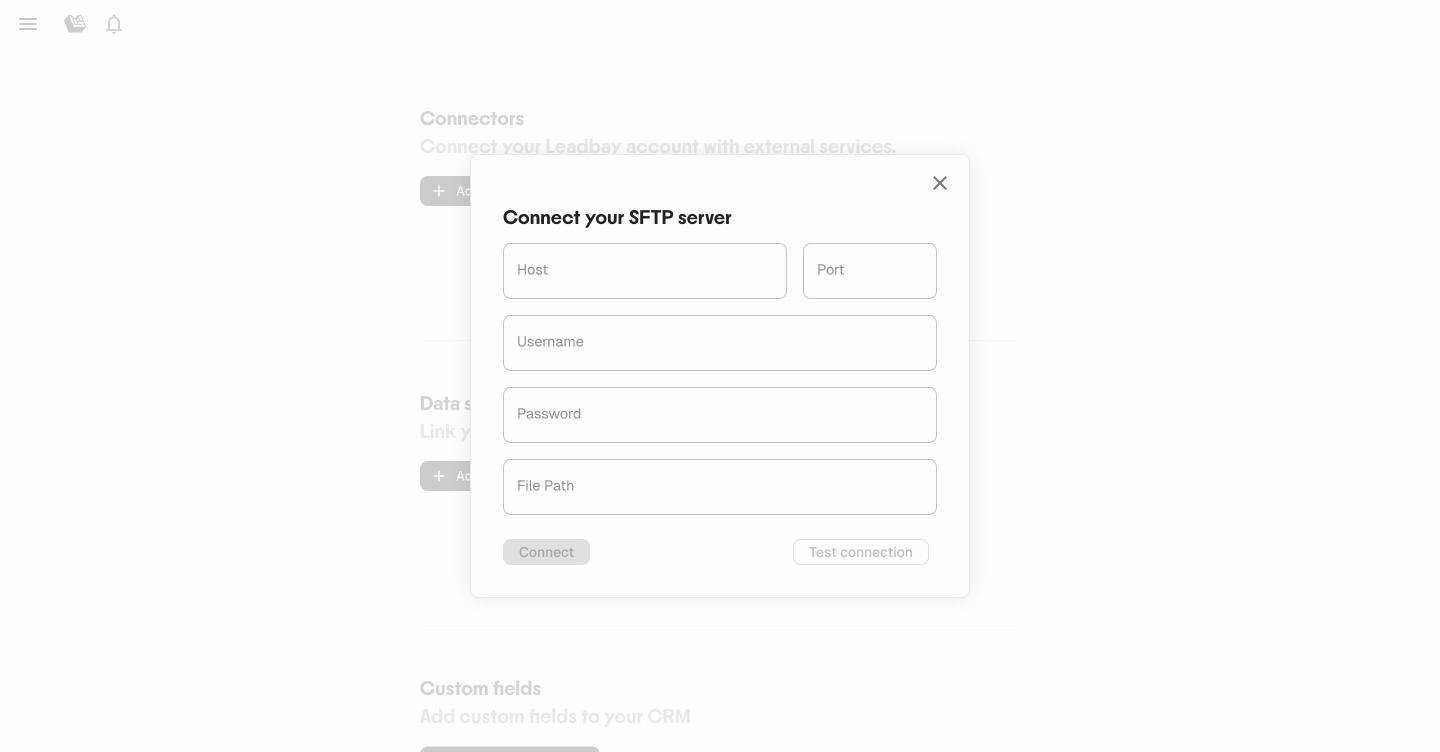
* **SFTP connector**: connect an SFTP server to automatically sync a CSV file with your leads. Leadbay detects changes and re-imports only when the file is updated. Admin only.
The SFTP connection form
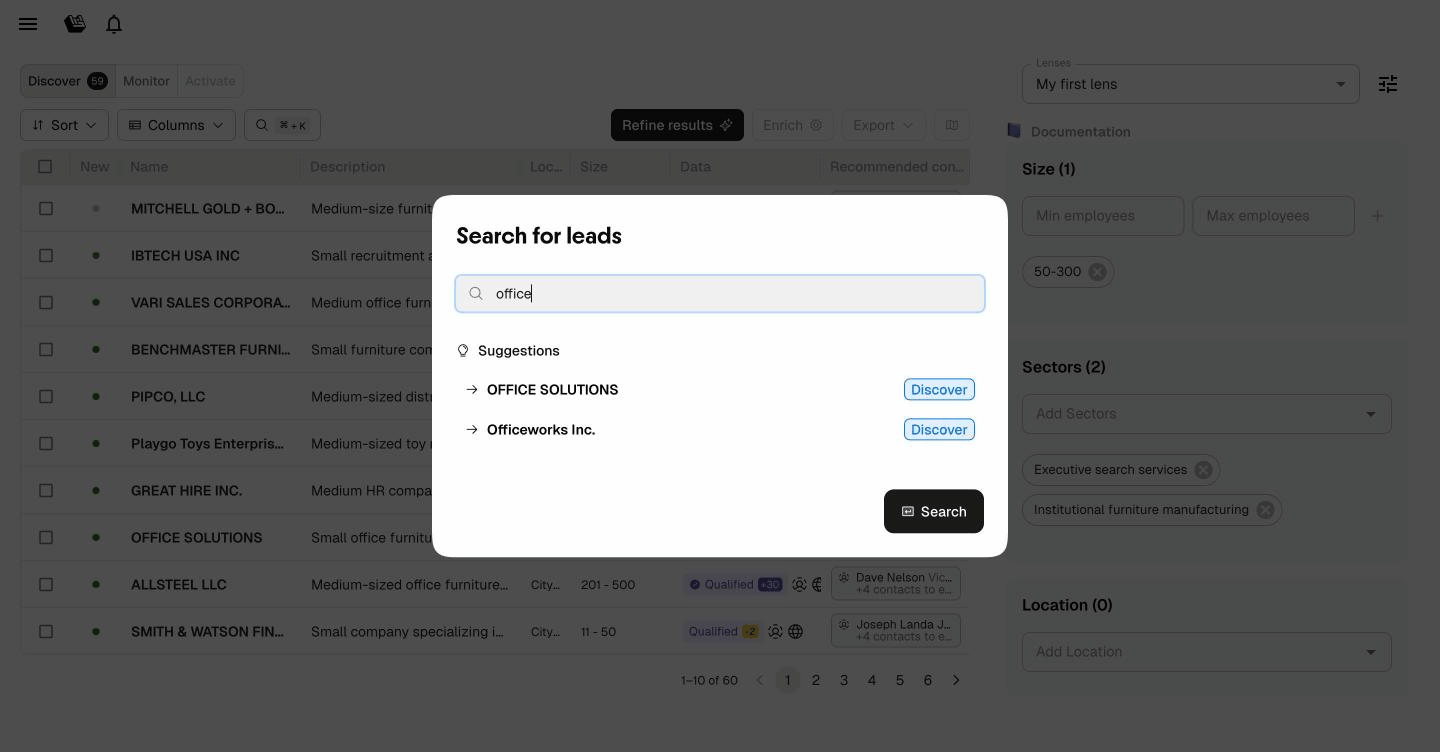
* **Global search**: press ⌘K (Mac) or Ctrl+K to search for leads across Discover, Monitor, and Activate. Suggestions appear as you type.
Search for leads by name — suggestions appear as you type
* **Failed enrichment tracking**: contact cards now show which enrichment channels failed, with retry options and failure date tooltips. Previously failed contacts can be skipped during bulk enrichment.
* **Custom fields management**: admins can now add and edit custom fields directly from Data Sources settings.
## March 2026
* **Requalify**: the "Fetch web insights" button is now called **Requalify** — one click to pull fresh data from a lead's website and re-run the full AI assessment.
## February 2026
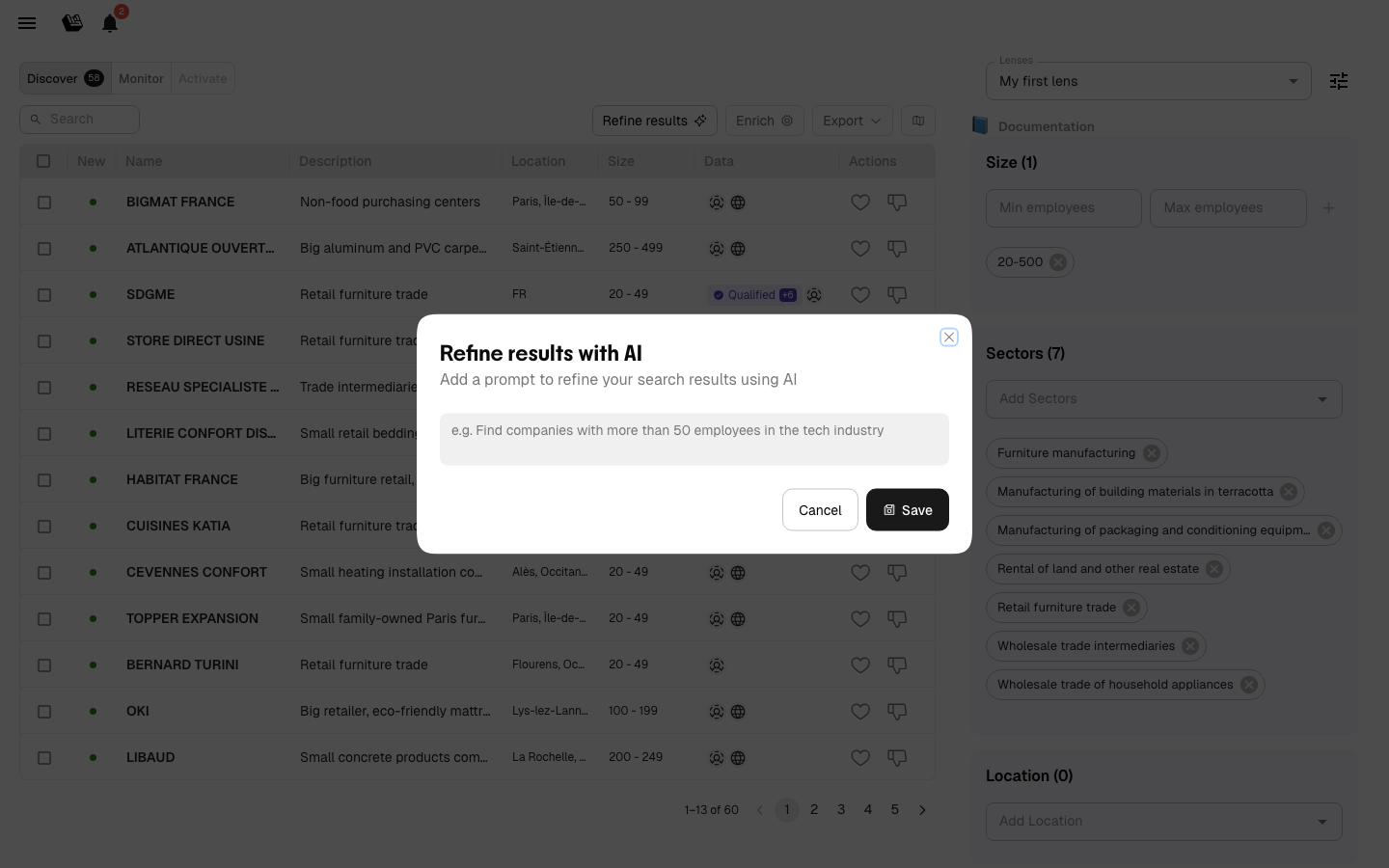
* **Refine results with AI**: describe the kind of leads you're looking for in plain text. The AI uses your description as a search prompt to refine recommendations — like telling a colleague what you need.
Describe your ideal lead in your own words
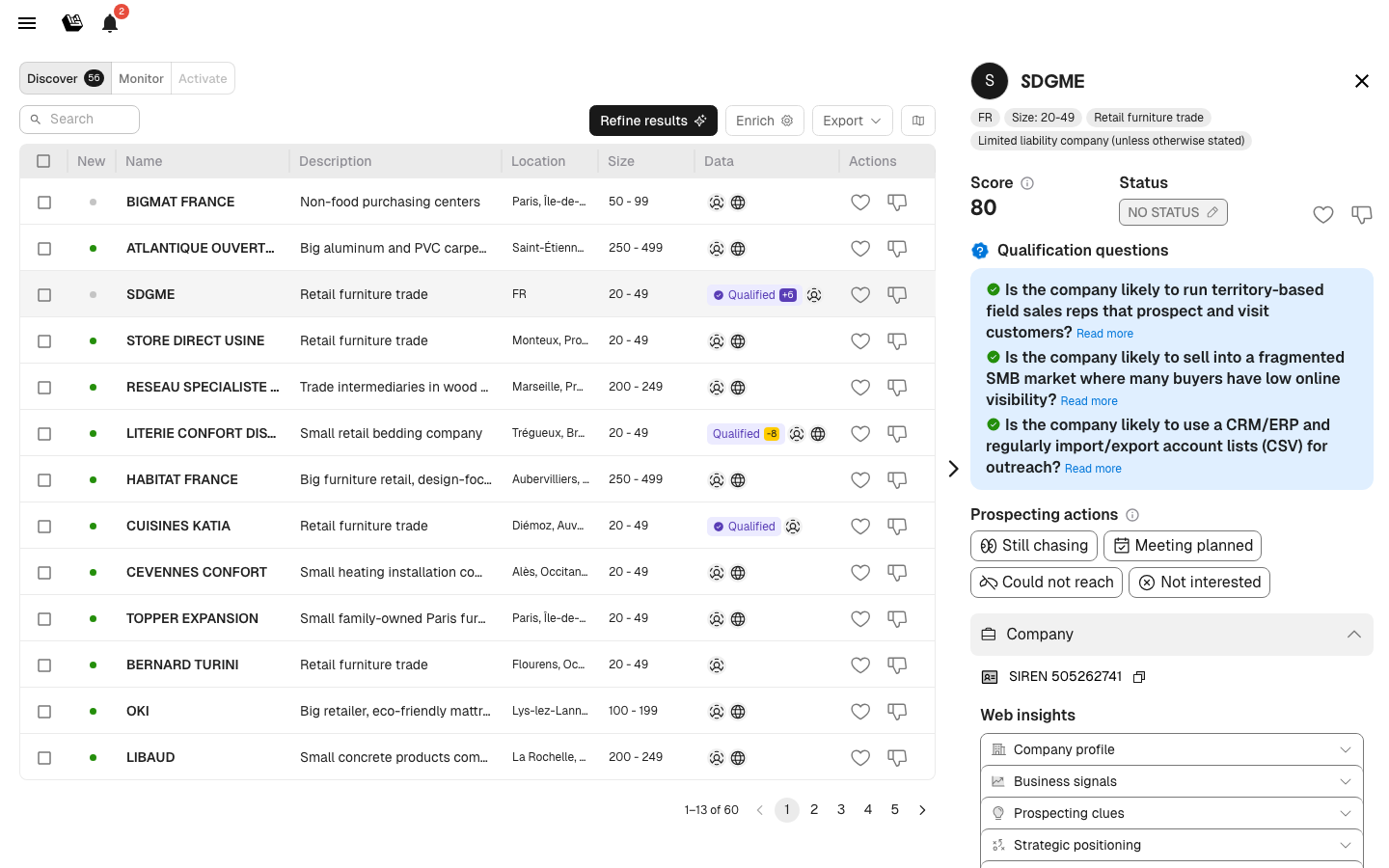
* **AI reasoning visible**: the AI now shows its qualification reasoning directly in lead profiles — see step-by-step how the model evaluates each company against your criteria.
Qualification questions and AI reasoning in the lead profile
* **Subsidiary locations on map**: subsidiary company locations now appear on the map view alongside parent companies, giving a complete geographic picture of corporate groups.
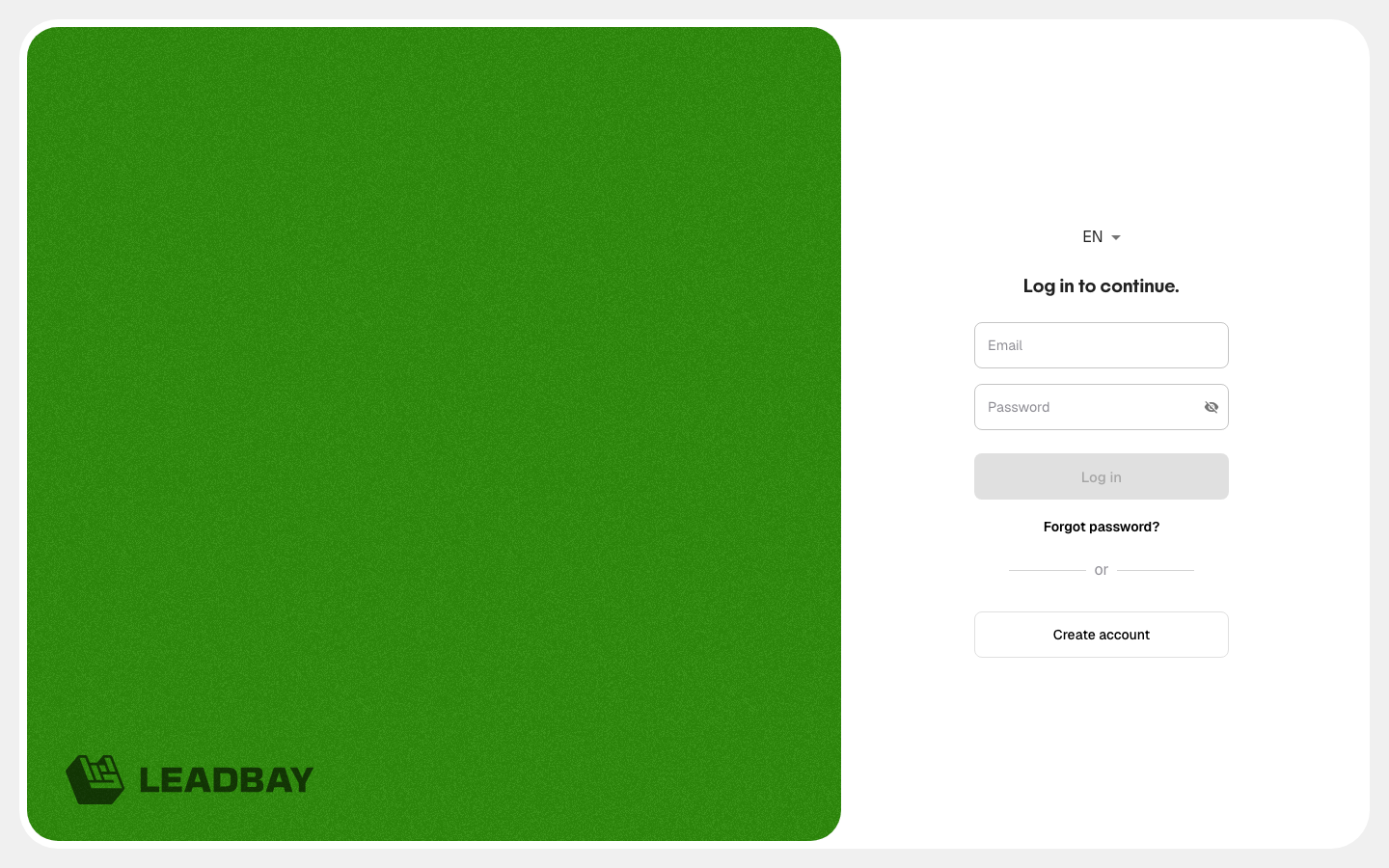
* **Redesigned login page**: completely refreshed login experience with a cleaner layout and new branding.
The new Leadbay login page
* **Enriched contacts export**: CSV export now includes enriched contacts with company, last name, first name, phone number, email, job title, and LinkedIn profile.
* **Bulk contact enrichment**: select multiple leads from any tab, choose target job titles, and enrich contacts in batch.
* **Select-all**: bulk operations now support selecting all leads matching your current filters.
## January 2026
* **Usage-based pricing**: no leads visited in a month = next month billed €0. No commitment required.
* **8-step guided onboarding**: new in-app walkthrough for first-time users, covering all features and tabs hands-on.
* **Activate tab classifications**: leads in Activate are now sorted into Activatable, On hold, and Completed.
* **Bulk status change**: set status for multiple leads at once.
* **LinkedIn Ads integration**: export leads to LinkedIn Ads audiences via Zapier.
## October 2025
* **Redesigned lead profile**: qualification question answers shown with color indicators (positive / neutral / negative).
* **"Predicted Won" label**: displayed on leads very close to your won deal profile.
* **AI-generated next steps**: the model now suggests recommended approach angles for each lead.
## September 2025
* **Self-serve signup**: try Leadbay for free directly from the website — no demo, no complex integration.
* **AI Chat in lead profiles**: prepare meetings and generate summaries with context-aware AI, right inside the lead profile.
* **AI Assistant with qualification questions**: configure up to 5 strategic questions that the AI answers automatically for every lead.
* **Auto field detection for imports**: Leadbay now detects fields and values automatically when importing files.
## July 2025
* **Activate tab**: dedicated workspace for daily prospecting, showing liked leads ranked by relevance with next-step actions.
* **Redesigned lead profile**: new tabbed layout with Company, Contacts, Notes, History, and Subsidiaries.
* **AI summary**: automatic lead overview visible in the profile for quick context.
* **Prospecting actions**: log activity with one click — Still chasing, Meeting planned, Could not reach, Not interested.
* **Web Fetch**: pull fresh data from a lead's website (company profile, key people, technologies).
* **"Liked leads" replaces "Saved leads"**: terminology update for clarity.
* **Notifications**: receive alerts when contact enrichments complete (bell icon, top-right).
## April 2025
* **Contact enrichment**: enrich contacts with emails and phone numbers via FullEnrich partnership (\~80% email coverage, \~65% phone coverage).
## March 2025
* **Mobile app**: Leadbay available as a PWA for iPhone and Android — install in under a minute.
## February 2025
* **Manager Dashboard**: managers can track team prospecting performance; individual reps can review their own activity.
* **French language**: the app auto-detects browser language and displays in French when appropriate.
## December 2024
* **Lead descriptions in list**: company descriptions visible directly in the lead table without opening each profile.
* **Canton/city filter**: distinguish between administrative regions and cities in location filters.
* **Timeline**: smart recommendations based on user interactions — clicks, likes, exports.
## October 2024
* **Quick like/dislike**: thumbs up/down buttons directly in lead list rows for faster feedback.
## September 2024
* **Map view**: visualize selected leads on a geographic map, share the link, or open it on your phone for field visits.
## July 2024
* **Timeline feature**: AI-generated recommendations that learn from everything you do on Leadbay.
## May 2024
* **Refreshing Discovery**: Discover becomes a continuous flow of incoming leads. New leads marked with a green dot. Stale leads automatically cycled out.
## April 2024
* **Lenses**: saved filter configurations for different market segments. Keep separate parameters for different products, territories, or verticals.
## February 2024
* **Zapier connector**: import and export leads between Leadbay and your CRM via Zapier.
* **Scoring overhaul**: 0–99 scale based on AI-computed similarity to your won deals.
## January 2024
* **AI-generated descriptions**: every lead gets an auto-generated summary of its products, services, and market.
* **Discover and Monitor modes**: two views — AI recommendations (Discover) and pipeline tracking (Monitor).
* **Status predictions**: predicted outcomes shown for leads not yet won or lost.
---
# Agent Instructions
This documentation is published with GitBook. GitBook is the documentation platform designed so that both humans and AI agents can read, navigate, and reason over technical content effectively. Learn more at gitbook.com.
## Querying This Documentation
If you need additional information that is not directly available in this page, you can query the documentation by asking a question.
Perform an HTTP GET request on the following URL with the `ask` and `goal` query parameters:
```
GET https://docs.leadbay.app/doc/news/changelog.md?ask=&goal=
```
`ask` is the immediate question: it should be specific, self-contained, and written in natural language.
`goal` is what the user is ultimately trying to achieve, the reason they need the answer. Sharing it helps GitBook give you a better, more relevant answer. A goal is most helpful when it describes the outcome the user wants rather than restating the question. For example, with `ask=how do I create an API token`, a goal like `automate deployments from our CI pipeline` lets GitBook tailor the answer to that use case.
The response will contain a direct answer to the question and relevant excerpts and sources from the documentation.
Use this mechanism when the answer is not explicitly present in the current page, you need clarification or additional context, or you want to retrieve related documentation sections.