> For the complete documentation index, see [llms.txt](https://docs.leadbay.app/doc/llms.txt). Markdown versions of documentation pages are available by appending `.md` to page URLs; this page is available as [Markdown](https://docs.leadbay.app/doc/product-guides/contact-enrichment.md).
# Contact Enrichment
How does enrichment work?
### 1. Where do the phone numbers and emails come from?
Leadbay partners with **FullEnrich**, the most reliable provider we've tested for contact data.\
FullEnrich uses a **waterfall strategy** — searching over 15 databases in order. If one source doesn't have the data, the next is queried automatically.
**Results:**
* Phone numbers: \~65% coverage
* Emails: \~80% coverage
Tested across various industries and company types.
### 2. Enrich a suggested contact
1. Open a lead profile and go to the **Contacts** tab,
2. Click **Enrich** on any suggested contact,
3. Wait a few seconds (max 2 minutes),
4. You're only charged if the data is found.
**How does Leadbay suggest contacts?**
Leadbay automatically suggests people to enrich based on your **target persona**.
If your target is **Head of Sales**, Leadbay will find and suggest:
* People **close to this role** (e.g., Sales Directors, Commercial Managers)
* Within companies you're tracking
These suggestions appear under **"To be enriched contacts"**.\
Once enriched, they move to **"Enriched / added contacts"** with their email, phone, and LinkedIn profile.
### 3. Enrich a contact Leadbay didn't suggest
Two options:
1. **Manual entry**: enter name and surname via **Add contact**, then click **Enrich**
2. **LinkedIn**: paste the LinkedIn URL in **Add contact**, then click **Enrich**
### 4. Bulk Enrichment
You can enrich contacts for multiple leads at once:
1. Select leads using checkboxes in any tab (Discover, Monitor, or Activate)
2. Click **Enrichment** in the toolbar
3. Choose the **job titles** you want to target
4. Launch the bulk enrichment
You'll receive a **notification** (bell icon, top-right) when enrichments complete.
### 5. How much does it cost?
* **Email**: 1 token (€0.06 per match)
* **Phone number**: 10 tokens (€0.60 per match)
**Examples:**
* Spend €30 → up to 500 matched emails **or** 50 phones
* Spend €3,000 → up to 50,000 matched emails **or** 5,000 phones
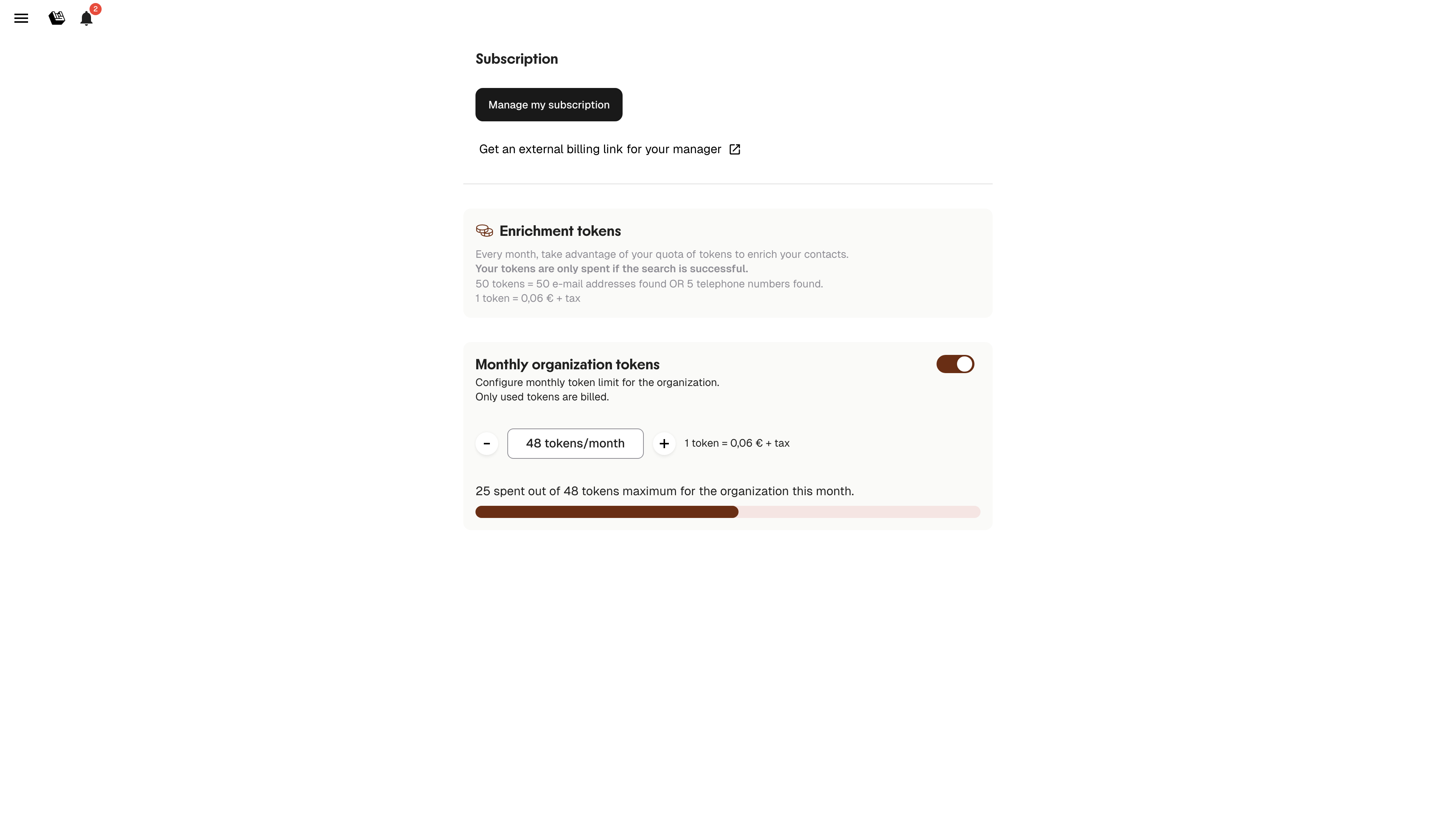
### 6. Subscription & Enrichment Tokens
Manage billing and enrichment tokens from the **Subscription** tab in the side menu.
Subscription & enrichment tokens
#### Billing
* Leadbay uses **Stripe** for secure billing
* Click **"Manage my subscription"** to update your payment method or subscription
#### Enrichment Tokens
* You have a monthly pack of enrichment tokens (default varies by plan)
* The progress bar shows how many tokens you've used
* You're **only charged tokens when enrichment is successful**
* Adjust your monthly token pack using the **+ / –** buttons
* Toggle enrichment **On/Off** at any time using the switch
### 7. Privacy
Your enriched data is **only visible to your organization**.\
It will **never** be shared with or reused by other Leadbay customers.
---
# Agent Instructions
This documentation is published with GitBook. GitBook is the documentation platform designed so that both humans and AI agents can read, navigate, and reason over technical content effectively. Learn more at gitbook.com.
## Querying This Documentation
If you need additional information that is not directly available in this page, you can query the documentation by asking a question.
Perform an HTTP GET request on the following URL with the `ask` and `goal` query parameters:
```
GET https://docs.leadbay.app/doc/product-guides/contact-enrichment.md?ask=&goal=
```
`ask` is the immediate question: it should be specific, self-contained, and written in natural language.
`goal` is what the user is ultimately trying to achieve, the reason they need the answer. Sharing it helps GitBook give you a better, more relevant answer. A goal is most helpful when it describes the outcome the user wants rather than restating the question. For example, with `ask=how do I create an API token`, a goal like `automate deployments from our CI pipeline` lets GitBook tailor the answer to that use case.
The response will contain a direct answer to the question and relevant excerpts and sources from the documentation.
Use this mechanism when the answer is not explicitly present in the current page, you need clarification or additional context, or you want to retrieve related documentation sections.